1
Step 1 of 9
Choose a compatible device
Select a device that supports IPTV applications. Common options include Smart TVs, streaming sticks and TV boxes.
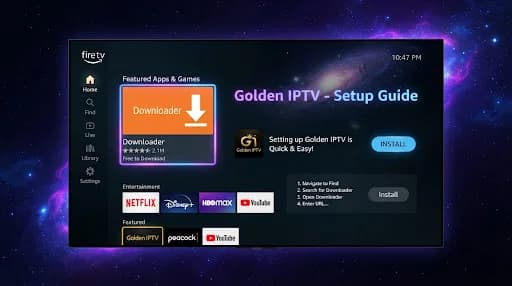
Follow the general setup process for a compatible television or streaming device without relying on device-specific codes or invented credentials.
Select a device that supports IPTV applications. Common options include Smart TVs, streaming sticks and TV boxes.
Ensure the device has an active connection through Wi-Fi or wired Ethernet.
Browse the device's application store or supported applications to find an option that works with your service.
Download and install the application from the device's app store or another trusted source supported by the device.
Launch the installed application to begin the setup process.
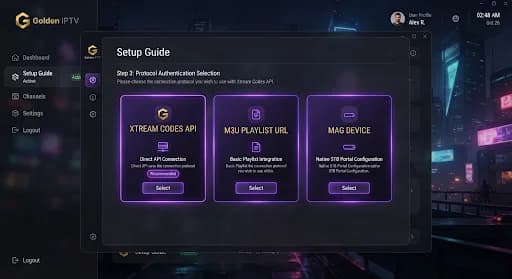
Input the credentials, server details or configuration information supplied with your subscription or trial.
Follow the application's on-screen instructions to connect it to the IPTV service.
Play a channel or video to confirm that the application and connection work correctly.
If playback is interrupted, check your internet connection, restart the application and use the buffering guide.
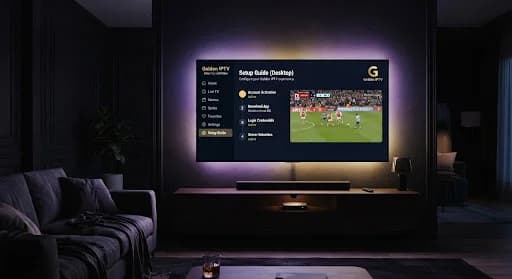
A device that can run a compatible IPTV application, such as a Smart TV, streaming device or TV box.
A stable internet connection is required for streaming.
An application capable of connecting to IPTV services on your chosen device.
An active IPTV subscription or the Golden IPTV 24-hour free trial.
The login or configuration details supplied with your subscription or trial.